Pages

Showing posts with label electronics. Show all posts

Wednesday, December 02, 2015

DIY: Playing with LED lights

The term "led lights" brings up a mix of results on Google. Then the questions arise: do I mean those stick on lights/lamps, or those small electronic components, or string lights, and how do I get the search results I want? Best answer: keep trying until you see something useful.

With the idea of using LED lights for projects, maybe Christmas projects, I found 3 different approaches.

First, there's sparkleballs using strings lights, plastic cups, and zip ties. You can find some instructions at instructables.
***
image: photo of sparkleballs
Sparkleballs, instructables
***

Another approach is to buy ready-made single LED lights, often called stick on, and devise new ways to use them. For an example of a not-a-string light project, take a look at Loew Cornell's LED lantern. Loew Cornell has a line of mason jar, aka Ball jar, craft items call Transform Mason. You can find some at Jo-Ann and Amazon.
***
image: photo of LED lantern made with Transform Mason product
LED lantern project, Loew-Cornell
***

Another approach is wiring LEDs. This can get complicated, so here's a progression of articles on working with LEDs. From eHow there's How to Design a Simple LED Circuit. ElectroSchematics has a wealth of LED projects and circuits. Instructables has a section on LEDs. I've bought LEDs from Super Bright LEDs and they're good to deal with; they have a section on LED Lights For Artistic Projects.

Because I got fixated on finding a good LED-music sync project, here are 3 that look interesting, all from instructables: How to Make an LED Ambient Mood Light: A Beginner TutorialArduino RGB LED Music Lights, and Beat Sync (fairly complex).
***
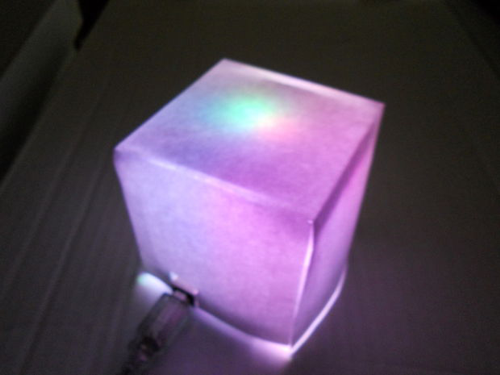
image: photo of elevenbytes' LED mood light
elevenbytes, LED mood light, instructables
***

Thanks to Brit & Co for some leads on LED projects.


-- Marge


Wednesday, September 23, 2015

DIY: a (smart) phone worth keeping

image: illustration of Dave Hakken's Phonebloks concept
Dave Hakkens, Phonebloks, Wikipedia
***
In 2013 Dave Hakkens' Phonebloks campaign began with a single video. Dutch designer Hakkens had presented his idea for an open-source modular smartphone at his graduation from Design Academy Eindhoven. Here's the video.
***
***

Soon after Google/Motorola stepped up to partner with Phonebloks in developing the concept. This effort became Project ARA with a pilot release date of early 2015. Google's ATAP group is handling the effort; the team is headed by Paul Eremenko, formerly with DARPA. There's an ATAP channel on YouTube. Here's a video about the development effort.
***
***

The Verge reported in May 2015
...the project is expected to begin a pilot test in Puerto Rico later this year where the public will presumably be able to try it out.

As an aside, another ATAP project of interest is a Spotlight Story titled "Duet" in Times Square; a making-of video is below.
***
***

-- Marge


Wednesday, December 31, 2014

DIY: learning how you learn

image: Rube Goldberg invention diagram
Slo-Mo Pro Flo, lart-physics
***
A tech/salesperson the other day told me his brand was better because of training. Instantly images of sitting in training class, learning how an IP address is constructed and then sitting at my desk and trying to troubleshoot routing for a webpage in the cluster came to mind. In other words training isn't always what it's cracked up to be. On the other hand, you want the tech to know what will break the system before he/she breaks it.

Add to that the fact that everyone learns differently. I tend to break things, then learn by fixing them--not always, but often enough for it to be a pattern. So I avoid situations that are critical. There are a number of sites that talk about the three main learning styles--hearing, seeing, and doing. "How do you learn?" is a nice presentation of these styles.

Learning via the web is just plain wonderful, especially with the amount of information available via YouTube, Wikipedia, online magazines, and other sources (note: be sure to verify that the information there is reliable by cross-checking facts and opinions). But this falls into the 'seeing' category. To really learn a thing you have to do it.

For example, if you want to learn more about electricity, try this to get started:
***
***

If the project above is too simple, try electronics using LEDs.
***
***

And when your latest project fails, remember this.
***
***

-- Marge


Wednesday, July 24, 2013

DIY: nuts and bolts electronics

Geeky/nerdy content alert:  If you just yawn or go blank at the mention of capacitors, LEDs, breadboards, dead drops, and Raspberry Pi, this is not the post for you.

A while back I came across Make Magazine; today we're going to explore what it offers in the area of electronics.  (There are also many do-it-yourself projects that are not related to electronics.)  While looking around Make, I came across two topics that are particularly intriguing:  Arduino -- a type of circuit board with an 8-bit Atmel AVR microcontroller or a 32-bit Atmel ARM -- and Raspberry Pi -- credit-card-sized single-board computerArduino's home site offers many boards and components for a sale, free download of the Arduino software, and a large community of enthusiasts.  Note that there is a selector for currency at the top of the store listings.  (Make Magazine has a section on projects related to Arduino, too.)  Raspberry Pi (love the name!) has its own site as well; you can also buy a starter kit at the Maker Shed.

Now, on to today's projects: The first one is "How to Make a Capacitor from Scrap Aluminum," posted by John Baichtal.  Be sure to read the comments on this project, too.
***
***
Next we have "Weekend Projects – Hot/Cold LEDs."  This project uses an Arduino -- there's some nice technology here.  Calculating the resistance needed for an LED has tripped me up in the past, so try this nifty online calculator at Linear1.org.
***
***
You might be surprised to learn there's such a thing as a USB dead drop.  Learn more about them and how they're used in the project "Create a USB Dead Drop in Nature," posted by Jason Poel Smith.  You can learn where there are other dead drops and register your own at deaddrops.com. Seems to me the drop should be placed somewhere relatively sheltered.
 ***
***
Happy tinkering.

 -- Marge